
Download RoomDesigner AI – AI‑Powered Interior Design Tool, Free Demo, Secure Web App
Overview
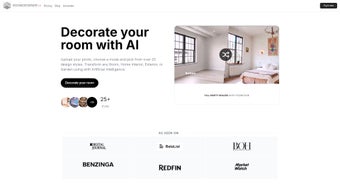
RoomDesigner AI is a cloud‑based, artificial‑intelligence‑driven interior design platform that converts ordinary photographs into photorealistic visualisations in a matter of seconds. The service is aimed at three primary audiences: homeowners who want to preview remodel ideas before any construction begins, real‑estate agents seeking to stage empty properties quickly, and professional designers who need a rapid concept‑generation tool for client presentations. By simply dragging an image of a room into the web interface, the AI engine analyses architectural elements such as walls, windows, doors, and existing furniture, then suggests a curated set of design styles that match the space. Over 25 distinct style presets are available, ranging from minimalistic Scandinavian to bold industrial, warm Mediterranean, and even kid‑friendly playful themes. Users can toggle between styles, fine‑tune colour palettes, and adjust material textures, all without needing any prior design software experience.
The platform also includes a dedicated virtual staging mode that automatically populates vacant rooms with realistic 3D furniture, lighting fixtures, and decorative accessories. This is especially valuable for real‑estate listings, as high‑quality staged images have been shown to increase buyer interest and reduce time on market. In addition to style swapping, RoomDesigner AI generates high‑resolution renders (up to 4K) from rough sketches, providing a client‑ready preview that can be used in marketing collateral, proposals, or social media campaigns.
The subscription model is tiered, offering a free 7‑day trial, a basic plan for hobbyists, a professional tier for designers, and an enterprise option for large agencies. Each tier unlocks a different number of monthly renders, access to private workspaces, and priority support. The intuitive drag‑and‑drop interface, combined with AI‑powered suggestions, means users can achieve professional‑grade results in minutes, while power users retain the ability to customize every aspect of the scene for precise control.
Security and privacy have been built into the core of the service. All data transfers occur over HTTPS, and the platform complies with GDPR standards, ensuring that client projects remain confidential. For users handling sensitive design concepts, a password‑protected “Private Mode” adds an extra layer of protection. Continuous updates to the AI model keep the design recommendations fresh and aligned with emerging trends, while the cloud‑first architecture eliminates the need for costly hardware upgrades. In short, RoomDesigner AI bridges the gap between casual DIY enthusiasts and seasoned design professionals, offering a scalable, secure, and cost‑effective solution for visualising interior spaces.
Key Features & Benefits
- AI‑Generated Design Suggestions – instantly match rooms with over 25 distinct styles.
- Photo Upload & Auto‑Detection – the system recognises walls, floors, windows, and existing furniture.
- Virtual Staging – turn empty interiors into fully furnished showrooms for real‑estate listings.
- Photorealistic Rendering – create 4K‑quality visualisations from simple sketches.
- Style Library & Custom Palettes – save favourite colour schemes and material combos for future projects.
- Private Mode – keep client projects confidential with password‑protected workspaces.
- Early Access Updates – subscribers receive new AI models and design assets before public release.
- Cross‑Platform Web Access – no installation required; works on any modern browser.
- Collaborative Sharing – generate shareable links or embed renders directly into presentations.
- Export Options – download images in PNG, JPEG, or PDF, and export scene data for CAD tools.
Each of these features translates into concrete benefits that address real‑world pain points. Homeowners can explore multiple renovation concepts without hiring an interior designer, saving both time and money. By visualising colour schemes, furniture layouts, and lighting plans before any purchase, they avoid costly mistakes and gain confidence in their decisions. Real‑estate professionals benefit from the virtual staging capability, which turns barren rooms into inviting spaces that attract more clicks, higher engagement, and faster sales. Studies have shown that staged photos can increase perceived property value by up to 15 %.
For interior designers, the AI engine serves as a rapid ideation partner. Instead of spending hours drafting initial concepts, designers can generate several style options in minutes, then refine the chosen direction with manual tweaks. This frees up creative bandwidth for deeper customisation, material sourcing, and client communication. The cloud‑based nature of RoomDesigner AI ensures that teams can collaborate in real time, sharing links with clients who can comment directly on the design. The tiered subscription model means that freelancers can start with the basic plan and scale up as their business grows, while larger agencies can take advantage of the enterprise tier’s team management tools and priority support.
Security, speed, and scalability are woven throughout the platform. All renders are processed on secure servers with GPU acceleration, delivering photorealistic results in 1‑3 minutes for most scenes. The system’s AI continues to learn from user feedback, meaning that style suggestions become more accurate over time. Whether you’re a first‑time homeowner or a seasoned design firm, RoomDesigner AI offers a flexible, future‑proof solution that adapts to your workflow and budget.
Installation, Usage & Compatibility
Because RoomDesigner AI is a cloud‑native application, there is no traditional installation process. To get started, visit the official website, create a free account, and verify your email address. Once logged in, you can immediately begin uploading images or creating new projects from the dashboard. The user interface follows a familiar three‑pane layout: a left‑hand sidebar for project navigation, a central canvas for real‑time design manipulation, and a right‑hand panel containing style options, material libraries, and rendering settings.
For optimal performance, we recommend using the latest versions of Chrome, Firefox, Safari, or Edge. The platform leverages WebGL for 3D rendering, so a graphics‑accelerated browser and a minimum of 8 GB RAM are advised for handling large‑scale rooms or high‑resolution uploads. Mobile browsers are supported for basic uploads and viewing, but full editing capabilities are best experienced on a desktop or laptop.
Operating System Compatibility: RoomDesigner AI runs on any operating system that supports a modern web browser, including Windows 10/11, macOS 10.15+, Linux distributions, Chrome OS, Android 8.0+, and iOS 13+. No additional plugins or software downloads are required, ensuring a secure and hassle‑free experience.
After completing a design, click the “Render” button to generate a photorealistic image. The rendering queue typically processes within 1–3 minutes depending on scene complexity. Once ready, you can download the final image, share a public link, or embed it directly into marketing materials. The platform also offers a “Save Project” feature that stores all design data in the cloud, allowing you to revisit and edit projects at any time without losing progress.
Advanced users can take advantage of the API endpoints provided for enterprise customers, enabling integration with existing CRM or property‑listing systems. The API supports batch uploads, automated render requests, and retrieval of finished assets, making it possible to embed RoomDesigner AI’s capabilities directly into custom workflows. Whether you’re working on a single home renovation or managing hundreds of property listings, the platform scales gracefully to meet demand.
Pros, Cons, Frequently Asked Questions & Final Thoughts
Pros
- Instant AI‑driven style suggestions reduce design time.
- High‑quality photorealistic renders enhance client presentations.
- No software download; works on any modern browser.
- Robust virtual staging tool for real‑estate marketing.
- Scalable subscription plans suit hobbyists to agencies.
- Secure cloud storage with GDPR‑compliant encryption.
- API access for enterprise integration.
Cons
- Requires a stable internet connection for cloud processing.
- Advanced texture editing is limited compared to desktop CAD tools.
- Rendering speed can be slower on low‑end hardware.
- Full feature set is locked behind paid tiers; free trial has limited renders.
- Mobile editing experience is less feature‑rich than desktop.
FAQ – Frequently Asked Questions
Can I use RoomDesigner AI on a mobile device?
Yes, the web app is responsive and works on Android and iOS browsers for viewing and uploading images, but full editing features are best accessed on a desktop or laptop.
Is there a free version or trial available?
RoomDesigner AI offers a 7‑day free trial that includes access to all design styles and up to three photorealistic renders. After the trial, you can choose a subscription plan that fits your needs.
How secure is my uploaded data?
All uploads are encrypted in transit (HTTPS) and stored on secure, GDPR‑compliant servers. Private mode adds an extra password layer for confidential projects.
Can I export my designs to other CAD or BIM software?
While RoomDesigner AI focuses on visual renders, you can export scene data as OBJ files, which can be imported into most 3D modeling programs for further refinement.
What subscription plans are available?
Plans include a Basic tier ($19/month) with limited renders, a Professional tier ($49/month) offering unlimited renders and private mode, and an Enterprise tier (custom pricing) with team collaboration and priority support.
Conclusion & Call to Action
RoomDesigner AI stands out as a versatile, AI‑enhanced solution that bridges the gap between casual homeowners and seasoned design professionals. Its cloud‑first architecture eliminates hardware constraints, while the extensive style library and virtual staging capabilities empower users to produce market‑ready visuals in minutes. Although a reliable internet connection and a modest hardware baseline are required, the benefits—time savings, higher client conversion, and a polished design workflow—far outweigh these limitations. If you’re ready to modernise your interior design process, boost real‑estate listings, or simply explore creative concepts without the steep learning curve of traditional software, now is the perfect moment to try RoomDesigner AI. Download the free trial today, experience the AI magic, and unlock a new era of design efficiency.
RoomDesigner AI delivers fast, high‑quality visualisations with an intuitive interface. The AI style suggestions are surprisingly accurate, and the virtual staging tool has already helped me close several property deals. The only drawback is the need for a stable internet connection, but overall it’s a game‑changer for both hobbyists and professionals.



.png)



